
Views: 88 Author: Site Editor Publish Time: 2024-09-06 Origin: Site


Changing the radio frequency in your car's touch screen is a straightforward process that can enhance your driving experience by allowing you to access your favorite stations. Whether you're commuting to work or embarking on a road trip, having the right music or talk shows can make all the difference. Here’s a comprehensive step-by-step guide to help you navigate through the process.
Start your vehicle and ensure that the car audio player bluetooth is powered on. Most systems will automatically boot up when the ignition is turned on.
Locate the radio icon on your touch screen dashboard. This is usually represented by a radio or music note symbol. Tapping this icon will take you to the radio interface.

Depending on your car model, you may need to select between AM, FM, or satellite radio. Tap on the corresponding option to switch modes. This is important as different frequencies will have different stations available.
Use the tuning dial or touch screen buttons to adjust the frequency. You can either scroll through the frequencies or enter a specific number if your system allows it. Many systems also have a seek function that automatically finds the next available station.
If you find a station of am fm automotive radio you like, look for an option to save it as a preset. This is often done by pressing and holding one of the preset buttons on the screen. Most systems allow you to save multiple presets, making it easy to switch between your favorite stations.
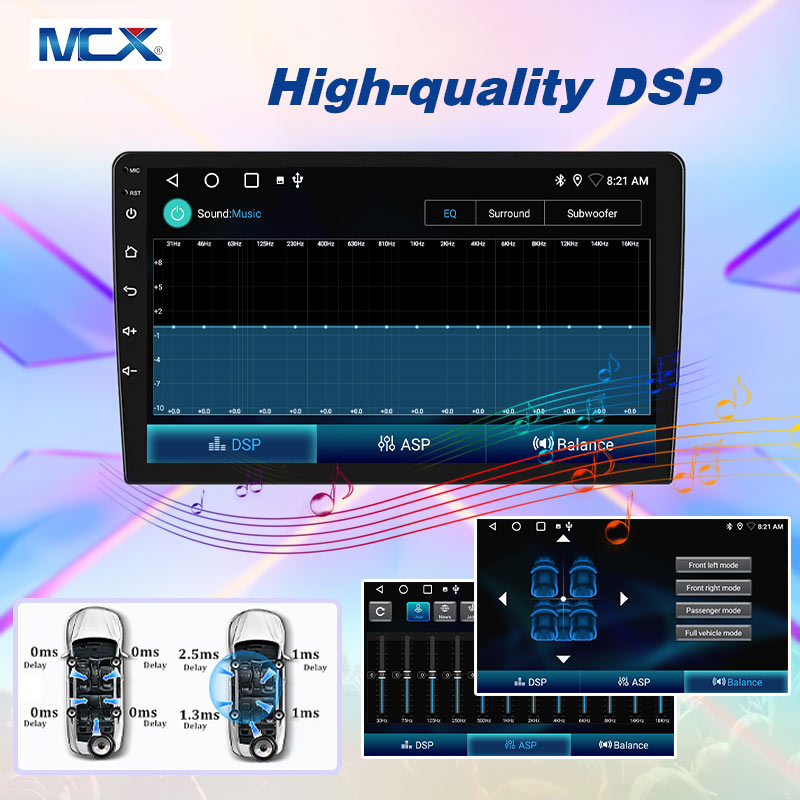
Once you have your bluetooth auto audio station, adjust the volume and any other settings like bass or treble to your preference. Many touch screens also offer equalizer settings that allow you to customize the sound to your liking.
Many modern touch screens offer additional features such as Bluetooth connectivity, allowing you to stream music from your phone or other devices. Look for the Bluetooth icon and follow the prompts to connect your car player android.
If you encounter any issues, refer to your car’s owner manual for specific instructions related to your model. Different manufacturers may have unique interfaces and features, so it’s always a good idea to check the manual for guidance.
Always ensure that you are parked safely while adjusting your car multimedia player settings to avoid distractions while driving. If you need to make adjustments while on the road, consider using voice commands if your system supports it.
With your favorite stations set, enjoy your drive with the perfect soundtrack! Whether it’s music, news, or podcasts, having the right audio can make your journey more enjoyable.
No Sound:
If you can see the android car head unit station but hear no sound, check the volume settings and ensure that the mute function is not activated.
Static or Poor Reception:
If you’re experiencing static, try tuning to a different frequency or moving to a different location, as some areas may have poor radio reception.
Bluetooth Connection Issues:
If you’re having trouble connecting your phone via Bluetooth, ensure that Bluetooth is enabled on your device and that it is in pairing mode.
By following these steps, you can easily change the radio frequency in your automotive multimedia and enjoy your favorite music or talk shows while on the road. Happy listening!
Click here to get the best wholesale prices on car radios!!


