
Views: 562 Author: Site Editor Publish Time: 2024-06-21 Origin: Site


The digital age has transformed the way we listen to music, especially on the go. Gone are the days when a mixtape or CD collection defined the soundtrack of our road trips. Today, we have vast libraries of digital music that can travel with us, often stored on convenient USB drives. But what if your car only has an AUX input? Is it still possible to enjoy your USB's collection of tunes through your car's speakers? Let's explore how you can bridge the gap between modern digital storage and your android multimedia player capabilities.
AUX (auxiliary) ports and USB (Universal Serial Bus) ports serve different functions in your vehicle stereo system. An AUX port allows audio playback from an external device (like a smartphone or MP3 player) to your auto radios using an AUX cable. On the other hand, a USB port can transmit both power and data, allowing devices to charge and play music simultaneously, often with the ability to control playback via the car's interface.
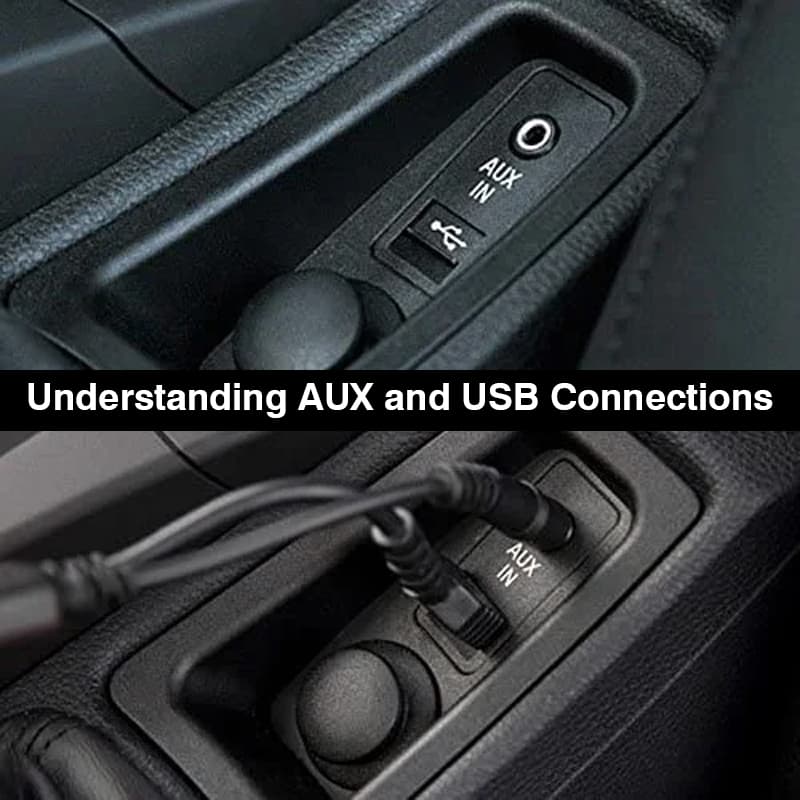
The main hurdle in playing music from a USB drive through an AUX port is that the AUX input does not process digital files. It's an analog signal path meant for headphones and basic cars audio video outputs. In contrast, a USB drive stores digital files and does not output an audio signal on its own.
(1) Use a USB Car Adapter:
- These adapters plug into your car’s cigarette lighter and have an AUX output. They read the music files on your USB drive and convert them to an analog audio signal that can be played through the AUX port.
(2)Employ a USB Media Player:
- Portable USB audio head unit can play music files from a USB drive and have a headphone jack that can connect to your car's AUX port using an AUX cable.
(3)Leverage a Smartphone or Tablet:
- Transfer the music from your USB drive to a smartphone or tablet, and then connect the device to your car's AUX port using a 3.5mm cable.
(4)Utilize an FM Transmitter:
- Some FM transmitters come with both USB and AUX inputs. Plug the USB drive into the transmitter, which then sends an FM signal to your car audio head unit tuned to a specific frequency.

(1)Choose Your Adapter:
- Select a USB car adapter, USB media player, or FM transmitter that suits your needs and budget.
(2)Connect the Adapter:
- Plug the adapter into your car's power outlet (for USB car adapters or FM transmitters) or ensure it's charged (for USB automotive head unit).
(3)Insert USB Drive:
- Insert your USB drive with music files into the adapter's USB port.
(4)Connect to AUX:
- Use a 3.5mm AUX cable to connect the adapter's AUX output to your car's AUX input.
(5)Play Your Music:
- Start playing music from the adapter, and adjust your auto radio settings as needed.
(1)Format Compatibility:
- Ensure your USB drive is formatted correctly (usually FAT32) and that your music files are in a format supported by the adapter (like MP3 or WAV).
(2)Sound Quality:
- The audio quality might not match a direct USB connection. Experiment with different adapters to find the best sound quality.
(3)Power Supply:
- Some adapters require an external power source, so ensure your car's cigarette lighter or power outlet is functional.
While it might seem like a technical challenge, playing music from a USB drive through your car's AUX port is entirely possible with the right equipment. Whether you opt for a dedicated USB car adapter, a portable car media player, or an FM transmitter, you can enjoy your digital music library without needing to upgrade your vehicle audio system.


